How to Schedule Threads Posts Using Postspread: A Step-by-Step Guide

As a creator on thread, staying consistent is good especially for those who are trying to build a brand on the space. To stay consistent, scheduling your post is a game changer. Postspread helps creators, marketers, and small business owners to plan and schedule posts ahead be it text, images or videos. Scheduling helps you to focus on creating content, engaging with your audience, and growing your Threads account/brand without going through the stress of last minute posting
In this guide, we will put you through the step-by-step process of scheduling Threads posts using Postspread. At the end of this article, you'll have full understanding on how to plan your content, schedule posts in advance and keep your posting routine organized.
Step 1: Connect Your Threads Account
To be able to schedule posts, you just have previously connected your Threads account to Postspread. The connecting process takes only a few minutes to get done
- Log in to your Postspread account
- On the dashboard, click on the connect button beside Threads
- Make sure your Instagram and Thread are connected and if so, click on continue to Threads
- A log in page will appear for your Threads account, input all your details correctly
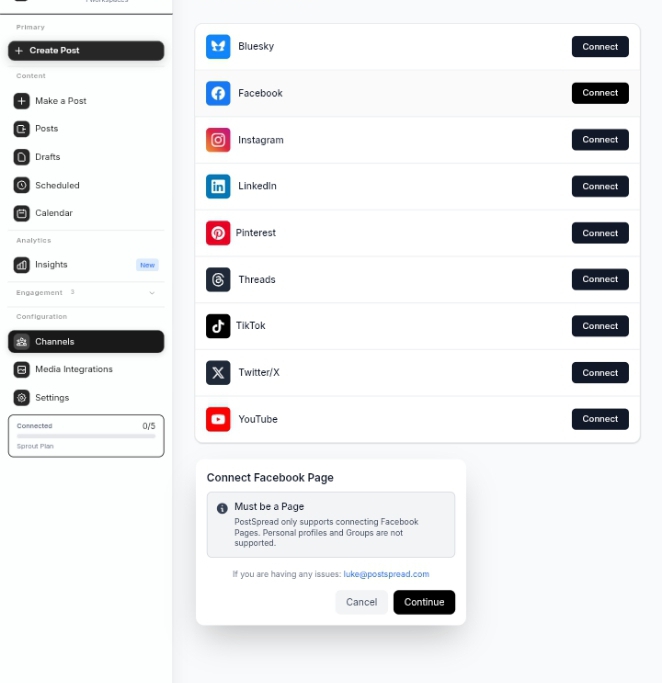
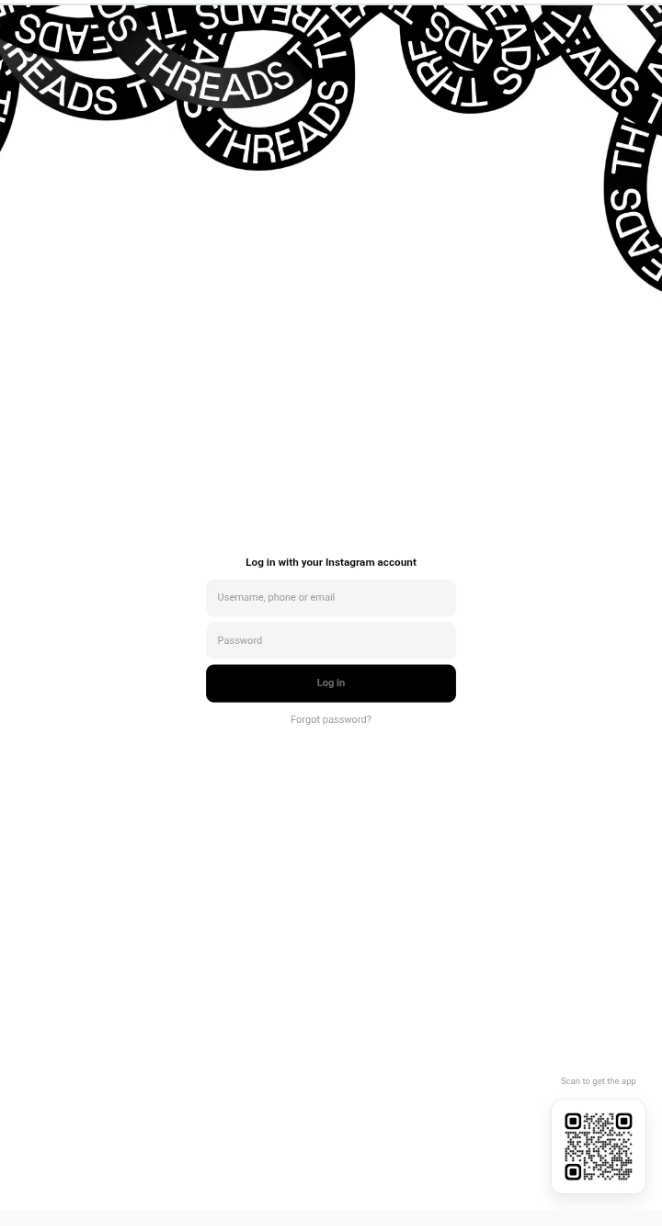
- After successfully logging in, confirm the permissions when prompted
Once your account is successfully connected, Postspread will recognize your thread profile in your dashboard and you'll find your account icon beside the thread option on your dashboard.
After connecting your account, you can not start creating and scheduling your Threads posts right on Postspread. Connecting your Threads account is also to ensure that posts are delivered directly to your account and at the scheduled time.
Step 2: Open the Postspread Content Composer
Postspread has a built-in content composer, making it easy to create posts that look great. Here's how to compose content on Postspread:
- From your dashboard, click in create post or new post
- Select threads to be your target platform
- Select the type of post you're making: text, image or video
One good feature of the video composer is it gives you a live preview of your post and helps you to see exactly how your content will be viewed by others on Threads before even going live. You can edit your content and adjust formatting to ensure it is good. A preview helps you to avoid certain mistakes and also to ensure that your Threads posts reflect your brand.
Step 3: Scheduling a Text Post on Threads
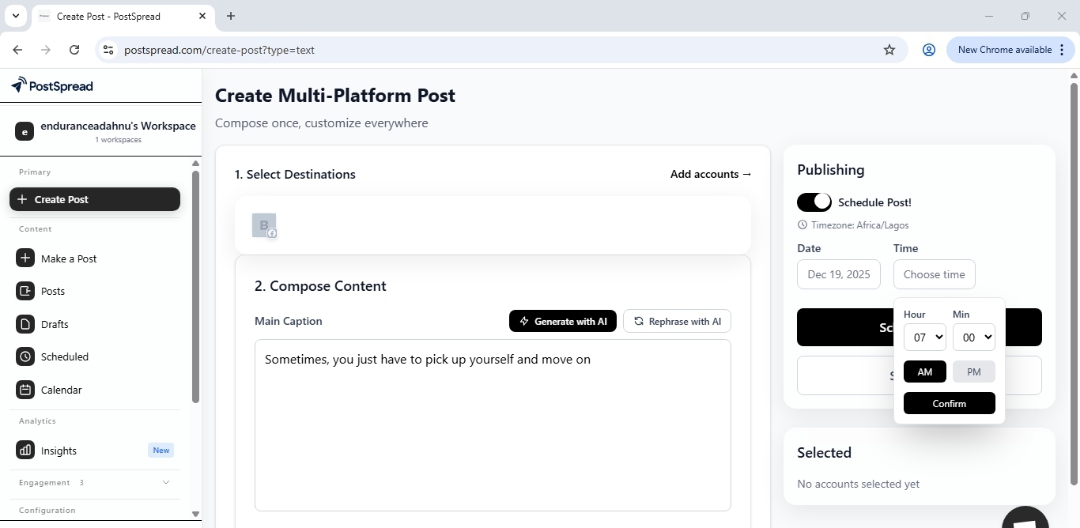
In general, text posts are retarded the simplest form of content but can convert when written properly. Scheduling your text posts keeps your audience engaged with your content even if you are busy.
To schedule your text post:
- Write your text in the content composer
- Keep your caption easy to read and without errors
- Check the preview to make sure your text post appear exactly as you want it
- Select the date and time you want it published on your Threads account
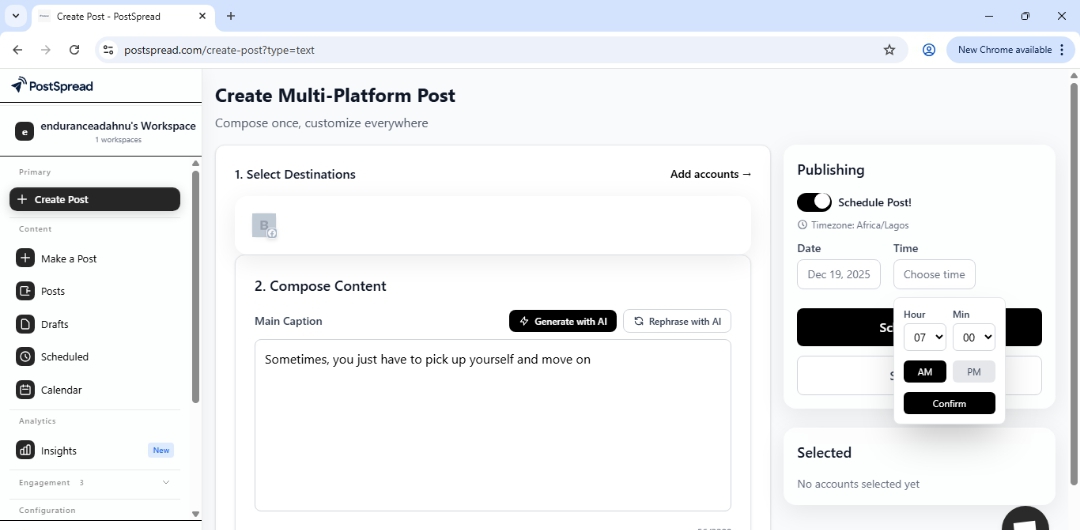
- Click on schedule
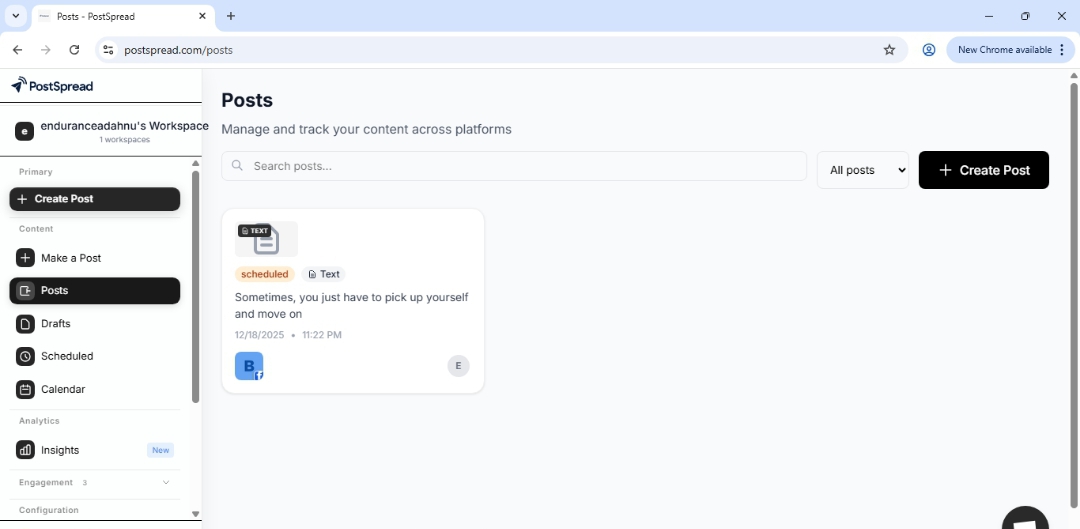
The post will automatically be published at the set time and gives you a chance to maintain a consistent presence without going through last minute posting.
Step 4: Scheduling an Image Post
Visual content is known to perform well because it has the ability to grab a viewer's attention faster than text content. Postspread allows you to schedule your image post on thread consistently.
To schedule an image content:
- Open the content composer
- Upload your image to the composer
- Input your caption; short and relevant
- Format the content properly
- Preview your post
- Select your publishing day and time
- Click on schedule
This is particularly important in branded content where consistency is part of the brand image
Step 5: Scheduling a Video Content
Although video content is a bit more complex, Postspread helps you to simplify video uploading. Video posts are a good choice for creators who want to create tutorials, announcements, or even behind-the-scenes content.
To schedule a video content:
- Open your content composer
- Upload your video
- Add a caption
- Ensure your video aligns with Threads’ length and format requirements
- Preview the video to check for playback quality
- Select publishing date and time
- Click on publish
You can schedule your videos days or weeks in advance. This is also good for campaigns, product launches, or series-style content.
Step 6: Review on Content Calendar
Postspread has a built-in content calendar that allows you to see all your scheduled posts on a single page. The content calendar feature improves management and strategy. On PostSpread's content calendar, you can:
- View all scheduled posts on Threads in one single page
- Adjust your posting time by a simple drag-and-drop
- Always ensure that your posting schedule is balanced
- Avoid gaps in creation and also limit the frequency of your posts
For creators who love to batch create, the PostSpread's content calendar can help him to plan a week or month's worth of content in just a day and let PostSpread handle the rest.
Why Use Postspread for Your Threads Scheduling
There are various reasons to use Postspread for your Threads content scheduling. These reasons include:
Time-saving: When you use Postspread to schedule your posts, you spend less time posting manually and more time creating good content.
Organization: Your content schedule/calendar is kept neat, organized and easy access to your drafts, scheduled posts and your performance data.
Efficiency: Postspread, a single platform allows you to manage different post types on a single calendar without having to switch apps.
Consistency: You have the flexibility to plan posts in advance, making sure you maintain a consistent online presence without the need to manually post everyday.
For solo creators, marketers, teams or social media managers who post regularly, Postspread makes the job stress-free and reliable.
Conclusion
Threads content scheduling on Postspread is designed to make content planning, management and publishing smooth, flexible, and stress-free. By just connecting your Threads account to your Postspread, using the content composer, scheduling your different types of content, and monitoring performance, you can maintain a consistent presence on Threads without much stress.
If you are looking for a simple way to plan, schedule, and manage your Threads content without stress, you can learn more in this guide: Introducing Postspread: The Social Media Scheduler for the Modern Web