Keep up with every platform
without losing your mind.
Write once, publish to 13 platforms, or let your AI agent do it. Free forever for 3 accounts.
Your Loom video is loaded and ready to post.
Add a caption, pick your channels below, then publish or schedule. Sign-up takes one click.
. Drop one in before you publish.
Drop images or a video, or
Schedule pick a day and time, then confirm below
Goes out
at
Hour
Minute
Best times for your audience
Queued for
Humanized Written like you, shaped for each platform
No robotic filler. Every rewrite keeps your voice and follows the rules of the channels you picked: length, hashtags, tone.
Preview how it will look on each channel
Your post text shows up here.
Your caption shows up here.
Your post text shows up here.
· 0 views · just now
Your message shows up here.
now
checks
Limits come from each platform's published rules. PostSpread checks every channel before anything goes out.
No account needed until you publish. Your draft comes with you when you sign up.
Not just a text box
Post from wherever you already work.
The editor above is one front door. An AI agent, a single API call or a schedule you set once all reach the same publishing engine.
Pinterest scheduling is live 🎉


 First comment 5 min after each post
Tell an agent, in plain words.
Connect PostSpread to Claude, Cursor, VS Code or any MCP client. The agent picks the channels, uploads media, schedules, and reports back with live links. Nothing to click.
- 15 tools: drafts, scheduling, media, channels, results, analytics
- Sign in once with OAuth, revoke any time
- Team approvals still apply to agent posts
One request. Every channel.
A plain REST API with bearer tokens. Upload media, create or schedule posts across accounts, read results with live links, pull analytics. Works from any language, cron job or no-code tool that can send HTTP.
- Per-platform options: first comments, threads, boards, titles
- Results endpoint returns the public URL of every post
- OpenAPI spec included
Set it once. It runs itself.
Scheduled posts go out on time, first comments follow after the delay you chose, failures retry, and the live link of every post comes back to your dashboard, the API and your agent.
- Delayed first comments on Facebook, Instagram and LinkedIn
- Team approval before anything leaves the workspace
- Email when a post goes live or needs attention
Everything you need. Nothing you don't.
Three ways to publish, one place to manage it all.
Humanized, and shaped for each platform.
Write once. The AI rewrites in your voice for every channel: 280 characters on X, hashtags for Instagram, longer for LinkedIn. No robotic filler.
- Fix grammar, condense, expand, add emoji
- Per-platform length and tone
- Generate a caption from a one-line brief
One POST request publishes everywhere.
Thirteen platforms behind a single API key. No SDKs to install, no per-network quirks to learn.


 13 platforms
Your AI agent calls our MCP server.
"Schedule a LinkedIn post for tomorrow at 9am." Fifteen tools, zero glue code, plain English.





 8 AI clients
How it works
Schedule content in 3 simple steps
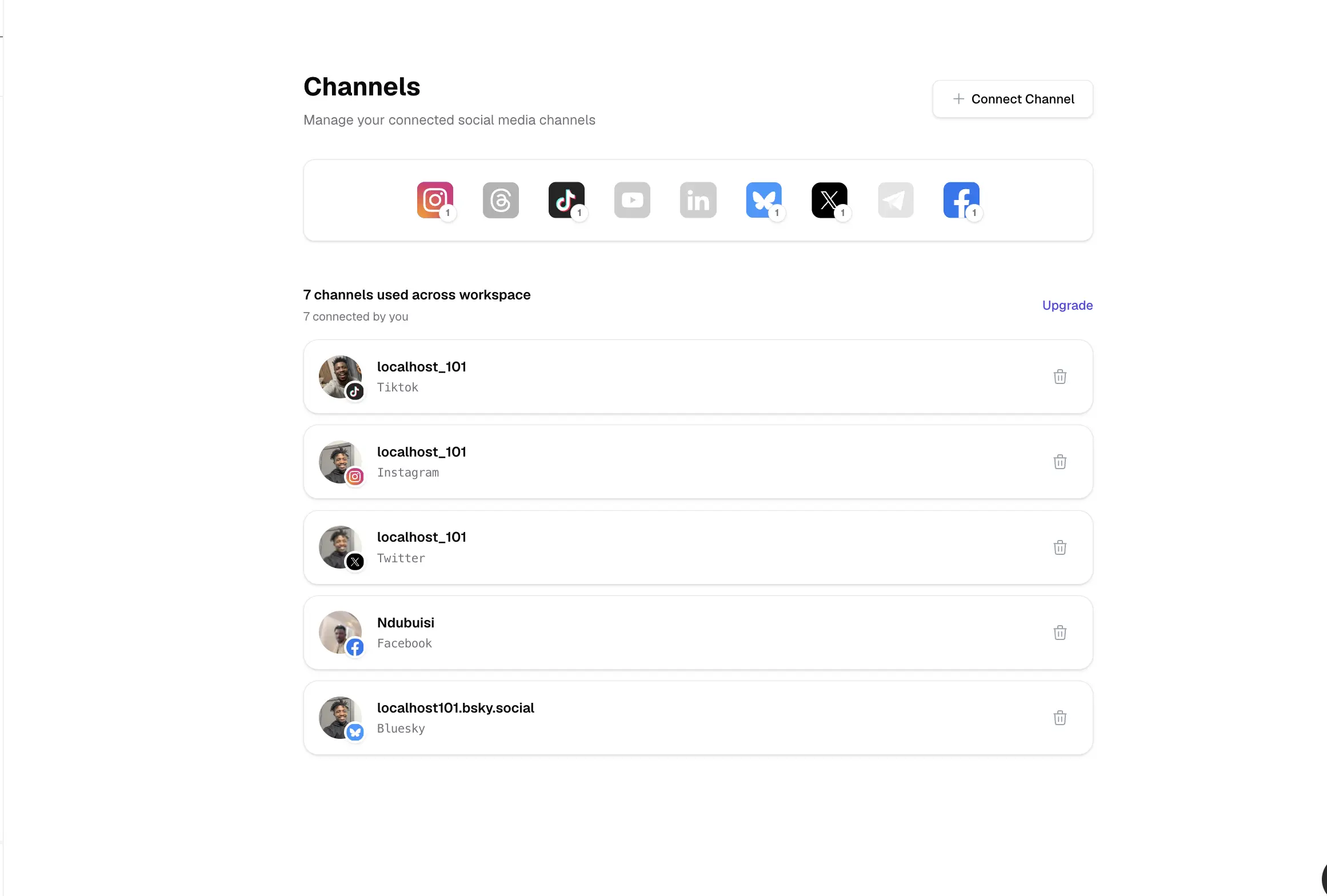
Connect your platforms
Manage all your social media accounts from one central dashboard. Connect once, publish everywhere, and save hours of manual work.
-
One-click platform connection
-
Support for 13 social networks
-
Connect multiple accounts per platform
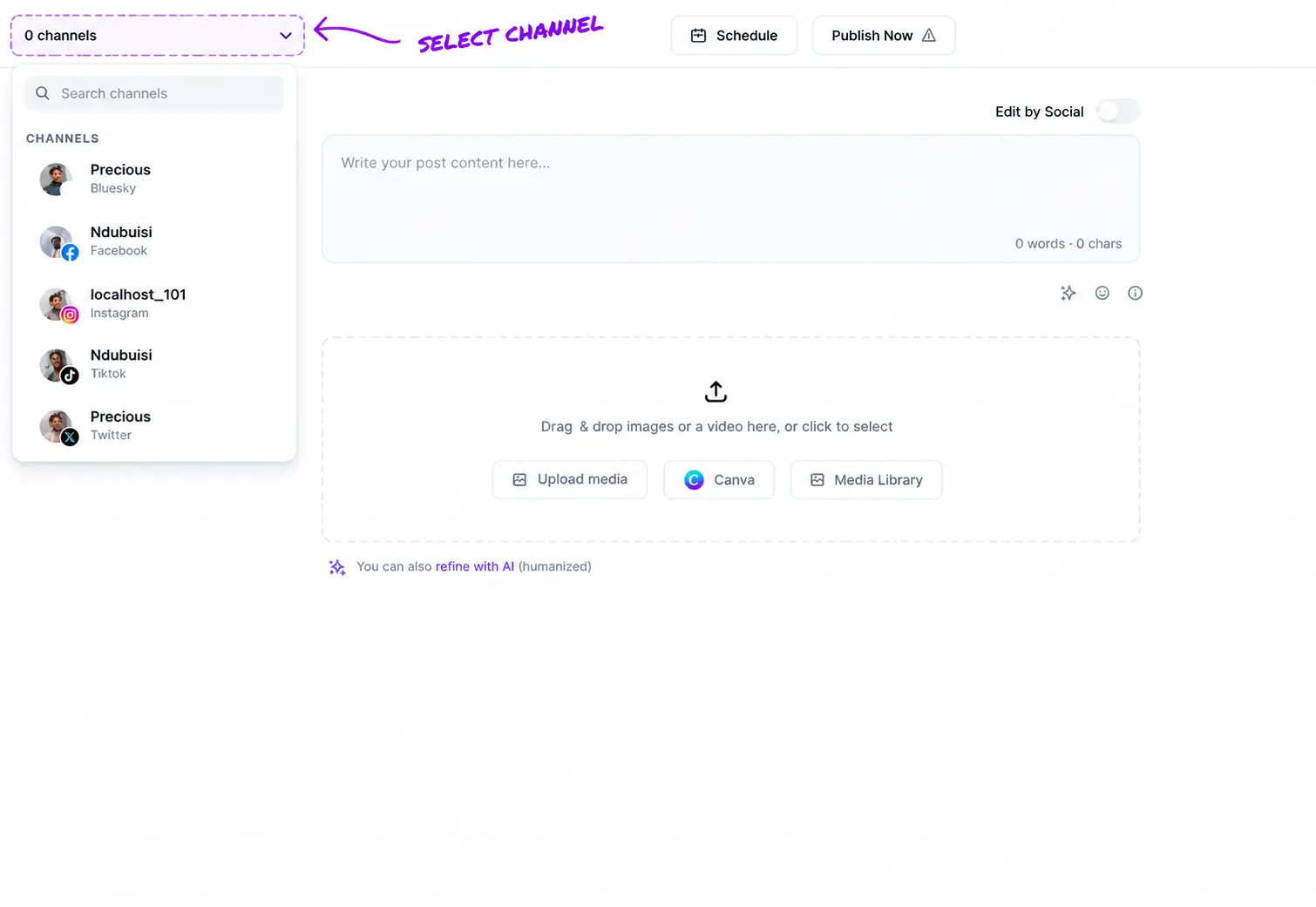
Craft your perfect post
Create compelling content that resonates with your audience. Our AI-powered editor helps you optimize your posts for each platform, ensuring maximum engagement.
-
Smart text formatting for each platform
-
Integrated AI to refine content
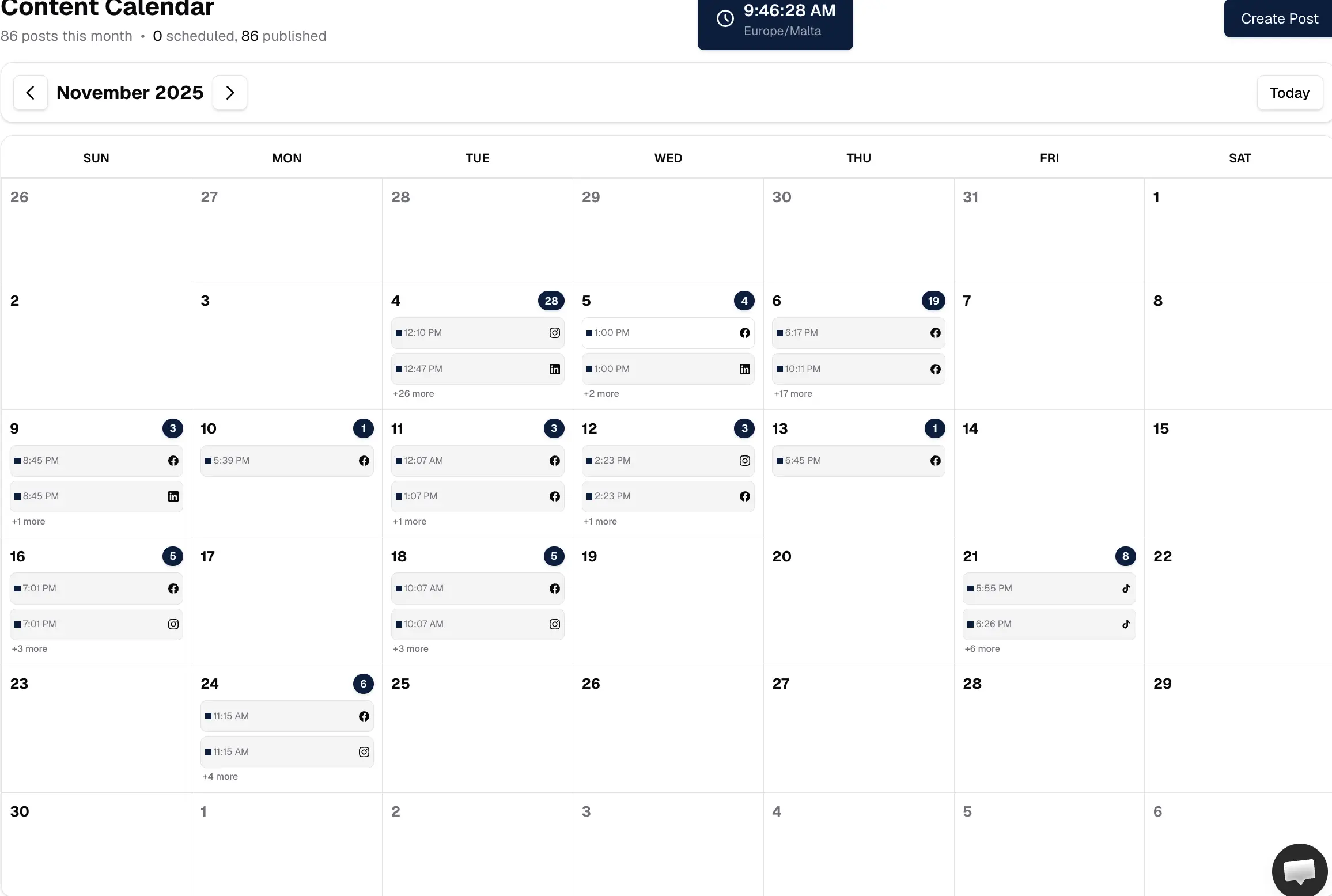
Schedule strategically
Fill up your calendar with content in a few clicks. Re-purpose content, use AI to recycle old posts.
-
Schedule content
-
Draft management
-
Content validations
PostSpread is loved by 1,200+ users.
Real posts from real people. Click any card to read it at the source.
As a newsroom who wants to exist in different channels and needs affordable solution, PostSpread more than a SaaS, it is a life saver. @post_spread !
 Ziyahan Albeniz
@ziyaxanalbeniz
Ziyahan Albeniz
@ziyaxanalbeniz
Can finally post to all my socials through Claude thanks to the @post_spread MCP by @localhost_101. I'm Active like Madd!!
Managing social media shouldn't take more time than actually running your business. That's why I wanted to share PostSpread, a social media management tool designed to make planning and publishing content across multiple platforms much simpler. It brings everything into one place: you can plan, schedule and manage your posts while also using features... 🚀 🔥🔥
 Tatiana Alvim
LinkedIn
Tatiana Alvim
LinkedIn
I manage social posts for different accounts, and PostSpread has made a real difference. What used to take hours now gets done in a fraction of the time.
post spread according to me is the most value for money post schedualing tool in the market.
 RK Vishnoi
@ctrlswftdelete
RK Vishnoi
@ctrlswftdelete
Pricing
Simple plans that grow with you.
Start free with 3 channels. Upgrade when you need more, downgrade or cancel whenever you like.
Free
Post to 3 channels, forever free.
No card needed.
Start for free- 3 connected channels
- 10 posts a month
- 1 workspace
-
Every platform except X
X charges for API access, so it's on paid plans.
- Scheduling and carousel posts
- Media library, Canva and Unsplash imports
- AI captions and rewrites
-
Threads
-
First
comment
- Analytics
- Full API and MCP access
- Team members
Bloom
For creators and small teams posting every day.
$200 billed yearly · save $40 Billed monthly. Cancel any time.
Upgrade to BloomEverything in Free, plus
- 15 connected channels
- Unlimited posts
- 3 workspaces
-
X (Twitter): 300 posts a
month
- Multiple profiles per platform
-
Threads on X
too
- Priority support
- Team members
Forest
Unlimited channels and a team around them.
$500 billed yearly · save $100 Billed monthly. Cancel any time.
Choose ForestEverything in Bloom, plus
- Unlimited connected channels
- Unlimited posts
- 10 workspaces
-
X (Twitter): 1,000 posts a
month
- Up to 10 team members
- Priority support
Bloom and Forest post without limits on every other platform. X posts are limited per month because X charges for API access.
Free Creator Tools
We build free utilities for creators. No account required.
FAQ
Questions, answered.
Everything you need to know about scheduling with PostSpread.
Still have a question? Email usWill scheduling posts hurt my views?
Short answer: No. Scheduled posts perform just as well as manual ones when your content is relevant and high quality. Modern feeds are increasingly interest-based, so what matters most is the value of your post—not whether you clicked Publish or scheduled it.
Scheduling helps you stay consistent and hit the right times without sacrificing reach. PostSpread is built to help you publish premium, intentional content—not spam.
Will my accounts get blocked or shadowbanned?
It depends on what you post and how you behave on the platform. The key is to keep your accounts active like a real person: mix your scheduled posts with natural activity—occasionally log in, like, comment, and engage with your audience.
PostSpread uses official, approved API methods and OAuth flows for platforms like TikTok, Instagram, and Facebook, so your uploads go through verified, policy-compliant channels. Following platform guidelines and publishing high-quality, safe content is the best way to avoid restrictions.
How does PostSpread handle uploads under the hood?
We don't use rotating IPs, scraping, or workarounds. PostSpread integrates directly with the official, verified APIs of platforms like TikTok, Instagram, and Facebook using secure OAuth. Our app is verified with these platforms and adheres to their reviews and audits.
All uploads go through platform-owned, documented endpoints, respecting rate limits and policies. This compliant approach maximizes reliability and protects your accounts versus bot-like methods.
Is PostSpread compatible with all social media platforms?
Currently, PostSpread supports TikTok, Facebook, LinkedIn, Threads, Instagram, Telegram, YouTube, Bluesky, Pinterest, X (Twitter), Mastodon, Discord, and Slack. We are actively working on adding support for more major social media platforms soon.
How does PostSpread adapt my content to each platform's requirements?
Each social media platform has specific technical requirements that can be very strict—from video resolution and aspect ratios to file sizes and formats. PostSpread automatically transforms your videos and photos to match the exact specifications of TikTok, Instagram, YouTube, Facebook, and other platforms.
This means you don't need to worry about encoding settings, compression ratios, or format compatibility. We handle all the technical details so your content uploads successfully every time, even when platforms like TikTok or Instagram have very particular API requirements.
How much time can I save using PostSpread?
Users report saving up to 90% of the time spent on manually uploading videos across multiple platforms, allowing for more efficient content management and freeing you up to focus on creating great content.
Do I need a subscription to use PostSpread?
You can get started completely for free! Our Free Plan gives you 3 connected accounts and up to 10 scheduled posts per month to try things out.
If you need more capacity, we offer the Bloom Plan ($20/mo) with up to 15 connected accounts, or the Forest Plan ($50/mo) which gives you unlimited connected accounts, team collaboration, and priority support.
Ready to simplify social media?
Create your free account. Post to 3 accounts for free forever.