Buffer vs. Postspread: A Feature by Feature Breakdown

Introduction
Choosing a social media scheduling tool should be simple. You want something that saves time, keeps you consistent, and makes your workflow smoother. Yet once you start comparing tools, everything begins to feel confusing.
Every platform promises automation, every dashboard claims to be simple, every pricing page looks similar at first glance.
Two tools that often come up in the same conversation are Buffer and Postspread. Both help you schedule content, both target creators and businesses. But they are built with very different priorities in mind.
This breakdown is not about declaring a winner. It is about helping you understand which tool fits your workflow better.
Understanding the Core Difference
Before comparing features, it is important to understand how each platform thinks about content.
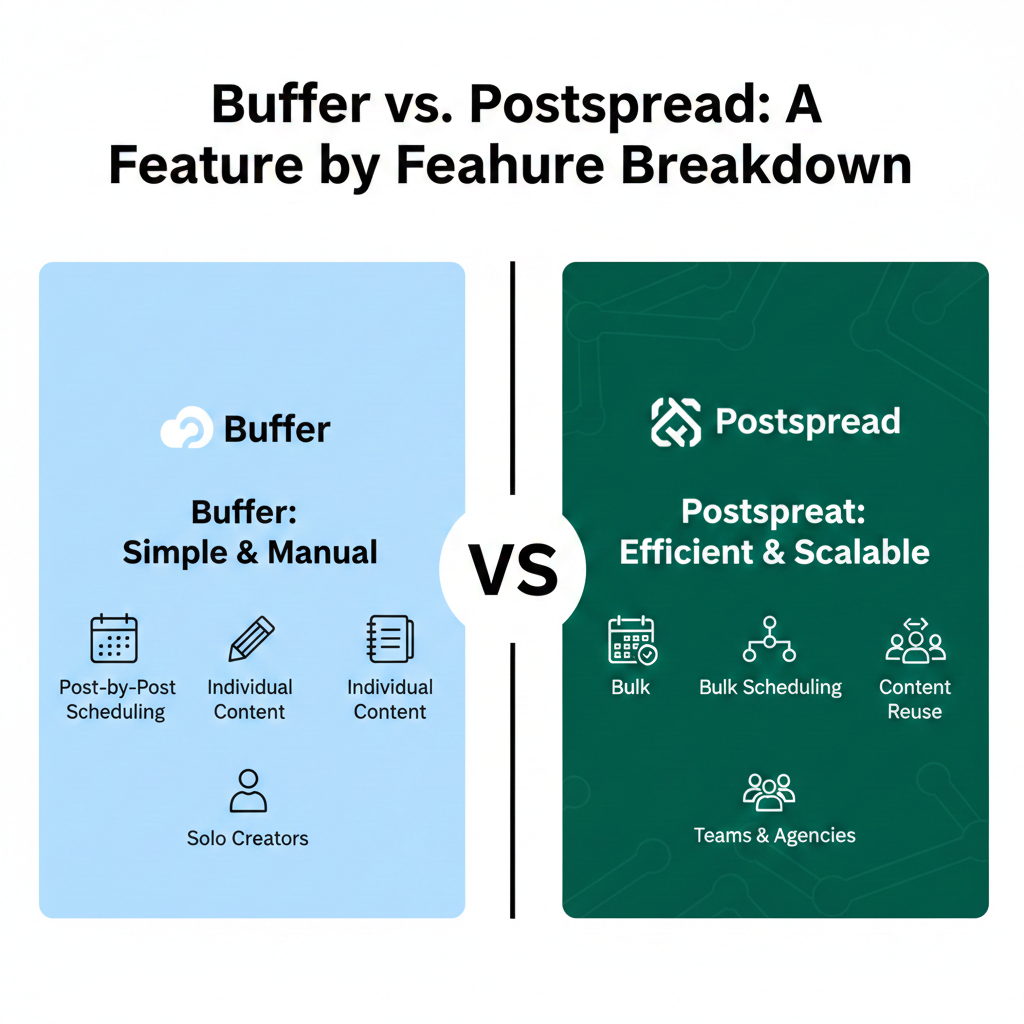
- Buffer is designed around scheduled posting. It focuses on planning individual posts across platforms.
- Postspread is designed around content reuse and batching. It focuses on turning one idea into multiple posts across platforms with less effort.
That difference affects everything else.
User Interface and Ease of Use
- Buffer has a clean and minimal interface. Most users can understand it within minutes. You select a platform, write a caption, attach media, and schedule.
- Postspread also keeps things simple, but the layout is built for bulk actions. Instead of treating each post as a separate task, it encourages you to plan content in groups.
If you like working post by post, Buffer feels familiar.
If you prefer working in batches, Postspread feels more natural.
Content Creation Experience
- Buffer assumes you already have content ready. It does not help much with generating or reusing ideas.
- Postspread is built around the idea that content should not be created from scratch every time. You can take one piece of content and adapt it across multiple platforms without rewriting everything.
For creators who post frequently, this saves a lot of time.
Scheduling and Publishing Features
- Buffer allows you to schedule posts individually or in queues. You can set posting times and let content publish automatically.
- Postspread focuses on bulk scheduling. You can upload multiple posts, assign platforms, and schedule everything in one session.
For agencies or busy creators, bulk scheduling removes daily pressure.
Content Recycling and Reuse
This is where the difference becomes clear.
- Buffer treats each post as unique. If you want to reuse content, you manually copy and paste.
- Postspread is built for recycling. One idea can be transformed into multiple formats without repeating work.
For long term content strategies, this matters more than most people realize.
Platform Support
- Buffer supports major platforms like Instagram, Facebook, LinkedIn, Twitter, and Pinterest.
- Postspread also supports major platforms but focuses more on how content flows between them.
If your strategy involves cross posting and repurposing, Postspread aligns better with that approach.
Team Collaboration
- Buffer offers team features with different access levels. It works well for small teams.
- Postspread takes collaboration further by offering structured workspaces. Teams and clients can view content, leave feedback, and approve posts in one place.
For agencies managing multiple clients, this reduces confusion.
Post Approvals and Client Feedback
- Buffer allows approvals but feedback often happens outside the platform.
- Postspread keeps feedback attached to the content itself. Clients comment directly on posts, and approval status is visible.
This removes the need for long message threads and follow ups.
Analytics and Performance Tracking
- Buffer offers basic analytics like engagement, reach, and clicks. It is useful for quick checks.
- Postspread focuses less on deep analytics and more on execution efficiency.
If analytics are your top priority, Buffer may feel more complete.
If execution and workflow matter more, Postspread stands out.
Pricing Structure
- Buffer uses tiered pricing based on features and number of channels.
- Postspread pricing is designed around content volume and workflow efficiency.
For solo creators, Buffer often feels more affordable.
For teams and agencies, Postspread offers better value as scale increases.
Learning Curve
- Buffer is easier for beginners who are new to scheduling tools.
- Postspread has a slightly higher learning curve, but once understood, it saves more time long term.
The learning investment pays off quickly for frequent posters.
Ideal Use Cases
Buffer is ideal for:
- Solo creators posting occasionally
- Small businesses with simple needs
- Users who prefer manual control
Postspread is ideal for:
- Creators posting daily
- Agencies managing multiple clients
- Teams focused on batching and reuse
- Anyone tired of rewriting content
Real World Workflow Comparison
- Using Buffer: You write one post. You schedule it. Tomorrow, you repeat the process.
- Using Postspread: You plan content for the week. You adapt it across platforms. You schedule everything. You are done.
Both work. One requires less repetition.
Common Misconceptions
- Some users think Buffer is outdated. It is not. It does what it was built to do very well.
- Others think Postspread is complicated. It is not. It is just designed for a different way of working.
The mistake is choosing a tool based on popularity instead of workflow fit.
Which One Should You Choose
Ask yourself these questions:
- Do I create content daily or weekly
- Do I reuse content across platforms
- Do I manage multiple brands or clients
- Do I want to reduce manual work
If you answer yes to most of these, Postspread will likely save you more time.
If you prefer simplicity and full control per post, Buffer may be enough.
Conclusion
There is no universal best scheduling tool. There is only the best tool for how you work.
- Buffer is reliable, simple, and familiar.
- Postspread is modern, efficient, and designed for scale.
The right choice depends on whether you want to manage posts or manage systems.
Once you choose a tool that matches your workflow, content creation stops feeling like a daily chore and starts feeling like a process you control.